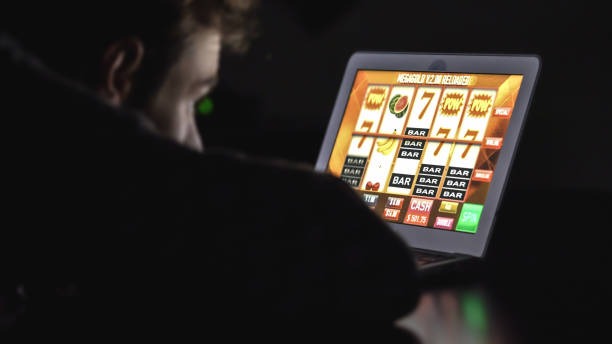
Choosing a Path Into republik77 slot
Three paths lead into our lobby, and the right one depends on your device. Android users typically install our APK directly. iOS visitors open the lobby through Safari and add it to the home screen as a web app. Desktop and tablet users keep the browser shortcut. Each path connects to the same account, the same payment options, and the same verification system.

Installation Walk-Through on republik77 slot
Four steps cover the full installation, from the moment you reach our download page to the moment you sign in. We deliberately keep the path short — the longer the flow, the more likely a weak signal in a Medan coffee shop or a crowded Yogyakarta train station will interrupt it.
-
1
Download the packageStep 1
Open our official link in Chrome or Safari and save the APK file to your device storage.
-
2
Install with permissionStep 2
Allow installation from the browser source when Android prompts, then tap Install.
-
3
Register or sign inStep 3
Open the app and either create an account or sign in using your existing republik77 slot credentials.
-
4
Set up security and startStep 4
Enable two-factor authentication, link a payment method such as DANAand explore the lobby.
App Versus Browser on republik77 slot
The native app and the browser route reach the same lobby, but they behave differently in daily use. Our installed app caches static assets, opens faster after a cold start, and supports push notifications for things like withdrawal status changes or scheduled Liga 1 kick-offs. The browser path needs no installation, leaves a smaller footprint on shared devices, and is the only option on iPhones and iPads. Members who switch between a personal phone in Semarang and a work tablet often keep both paths active, signing in with the same account on republik77 slot from either.
Device Compatibility
Our build targets mainstream hardware sold across the region. Android devices running version 7 (Nougat) or newer can install the APK without compatibility warnings, and iOS devices running version 12 or newer reach the web-app cleanly through Safari. Older handsets may load the lobby but will skip animation-heavy slot previews to preserve battery and memory. A stable mobile data connection of 4G or above provides the smoothest experience, especially during live-dealer sessions.
Common Installation Issues on republik77 slot
Two problems account for most installation tickets we receive. The first is the "unknown sources" prompt on Android — by default, the system blocks APKs that did not come from the Play Store, so you must e-walletefly grant your browser the permission to install applications. The second is certificate trust on iOS, where the web-app shortcut sometimes fails to refresh after a long idle period; clearing the Safari cache and re-adding the shortcut resolves this. If a download stops mid-stream around Idul Fitri network peaks, simply retry once the connection stabilises.

Data, Permissions, and Account Security
We at republik77 slot request only the device permissions needed to run the lobby properly: storage for cached game assets, network access for live data, and notification access if you opt in. We do not read contacts, SMS, or unrelated media. KYC documents are uploaded over an encrypted channel and stored separately from session logs. Withdrawals are reviewed against the verified bank account on file — including transfers routed through mobile banking, local payment, online payment, and e-wallet — and two-factor authentication on your phone protects sign-ins from unfamiliar devices.